Flim.ai is a visual reference search engine for filmmakers, designers, art directors, storyboard artists, and creative teams. It is not an AI video generator like Runway or Sora. Its value is faster visual research: finding film stills, ads, music videos, TV frames, colors, compositions, and moodboard references. I would choose it when the immediate job is finding and organizing a visual language, not producing the finished film.
Flim.ai Review: Excellent Visual Research, Not a Generation Studio
What I like about Flim is that it understands how visual people actually search. I used the guest app with a loose cinematic query and could move from instant suggestions into a browsable grid without creating an account. A filmmaker rarely starts with a perfect search phrase. You start with a mood, a color, a memory of a shot, a genre, or a title. Flim turns that loose idea into film titles, people, entities, and visual paths to explore.
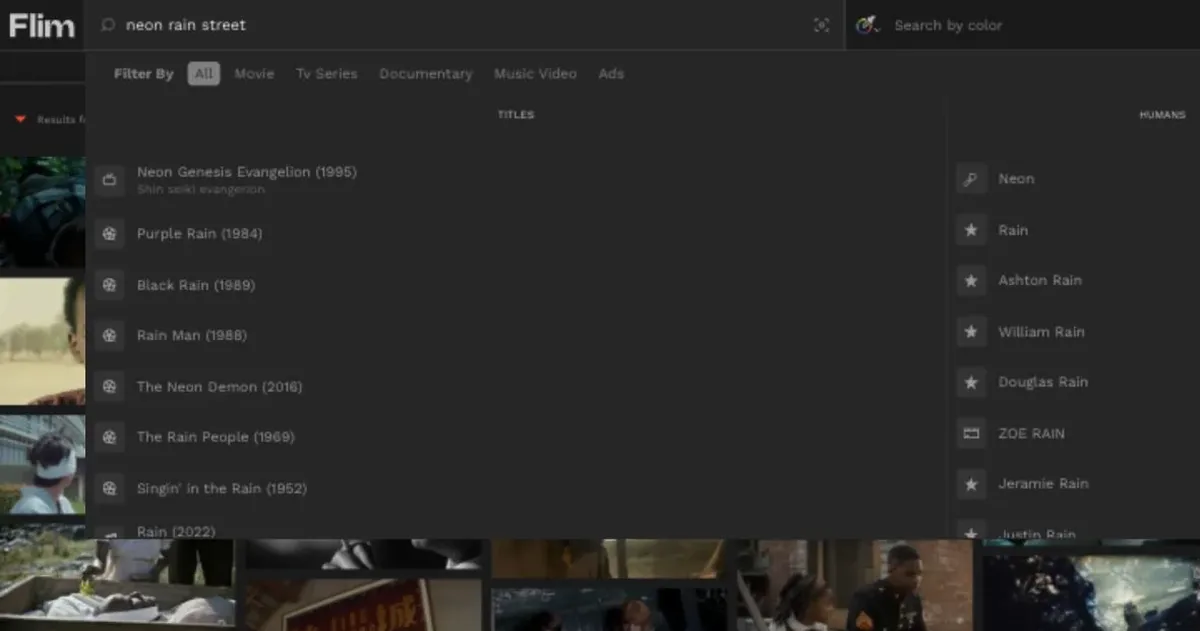
The instant suggestions are especially useful because they move you from language to culture. Flim surfaced related titles, videos, and people before I committed to the search. That is exactly what I want from a reference tool: less blank-page searching, more visual paths to follow.
Flim.ai Features: Cinematic Search, Filters, Boards, and References
Flim's core workflow is search-first. You type a visual idea, mood, title, subject, color, or cinematography reference, then browse a wall of matching stills. This is useful when you need a lookbook, pitch deck, storyboard reference, production design moodboard, or ad treatment.
The library is broad enough to feel purpose-built for creative direction rather than casual image search. Flim describes the database around 1.5M stills, 400K videos, 5.8K movies, 2K TV series, 5.5K music videos, 15K ads, and a large animation library. That gives it a much more cinematic bias than generic image search.
The app exposes filters such as type, video, video length, motion, animation, genre, release year, frame size, ratio, characters, and safe search. This makes Flim more precise than generic image search when the user knows the kind of visual grammar they want.
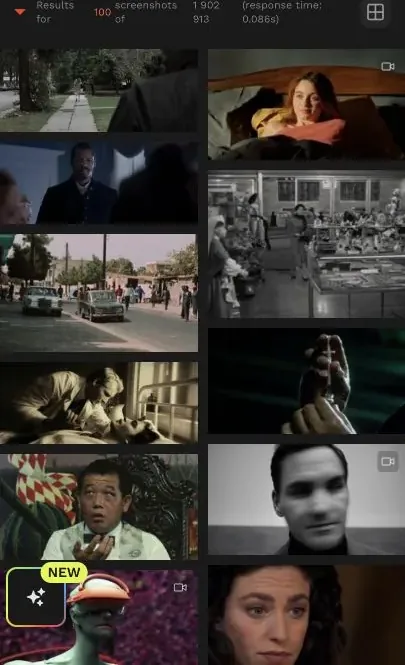
The results grid is where Flim earns its place in a director's research workflow: many related frames can be compared without leaving the search.
The top bar includes a dedicated "Search by color" field. For art directors and designers, this is one of the strongest workflow fits: color can be a practical way to build cohesive moodboards.
Flim also has boards, downloads, collaboration, Canva integration on paid plans, and AI tools on Pro. The Pro tier includes video cuts, AI image and video generation from prompts or assets, curated or custom aesthetics, Magic Boards from a script or pitch, and upscaling up to 4K.
Flim.ai Pricing: Free Research, Paid Downloads, and Pro AI Tools
Flim keeps a free plan for exploration, with unlimited search, cinema and TV still browsing, one still download per day, public boards, advanced search filters, and reverse image search.
.Basic is the first serious plan if you need full-library access, unlimited still downloads, board management, Smart Suggestions, and Canva integration. Pro is the better fit for teams that want video cuts and Flim's newer AI tools, including generation, editing, Magic Boards, aesthetics, and access to models such as Nano Banana, Veo, and Seedance. Teams is custom and adds collaboration, onboarding, support, SSO, and early access.
Flim.ai: What I Like and What Could Be Better
What I like most is how fast Flim is for visual research. It feels built for directors, designers, cinematographers, agencies, and pitch decks: you can start with a vague image in your head, then use suggestions and filters to turn it into concrete references.
The filters are the real value. Frame size, ratio, genre, release year, motion, animation, and safe search make it much more useful than a generic image search when you are trying to define a look. The limitation is that Flim mostly helps before production; it gives you references and boards, not the film workspace itself.
The guest experience was enough to judge search, suggestions, the results grid, and filters. I did not verify paid-team collaboration or use Flim's newer generation tools in a finished production, so I would evaluate those separately if they are the reason for choosing Pro.
Flim.ai Alternative: Why Melies Can Be a Better Fit
Flim is excellent when the job is visual research: finding references, building moodboards, exploring colors, comparing stills, and collecting cinematic inspiration. Melies is stronger when the job is production: writing a story, creating AI actors, generating storyboards, producing video clips, adding voices, music, and sound effects, and assembling a project around a film idea.
In practice, Flim can be a useful upstream reference tool before using Melies. But if someone is searching for a Flim alternative because they want to create an AI film rather than only collect references, Melies is the more complete filmmaking workspace.
Flim.ai FAQ: Pricing, Features, and Alternatives
What is Flim.ai used for?
Flim.ai is used to find visual references from films, TV, ads, music videos, animations, and stills. It is especially useful for moodboards, pitch decks, storyboards, visual research, and creative direction.
Is Flim an AI video generator?
Not primarily. Flim is best understood as a visual search and reference platform. The Pro plan mentions image and video generation, but the core app experience is search, browsing, filtering, boards, and downloads.
What is the best Flim alternative?
Melies is a strong Flim alternative if your goal is to move from references into AI film production. Flim helps you find visual inspiration; Melies helps you build the film assets and scenes around that inspiration.