Adobe Firefly is Adobe's generative AI workspace for image, video, audio, design, editing, Firefly Boards, AI Assistant beta, partner models, and Creative Cloud workflows. After using the app surfaces, my take is simple: Firefly is one of the strongest AI asset studios for Adobe users, but it is less convincing as a full AI filmmaking workspace.
Adobe Firefly Review: Great for Assets, Not a Full Film Workspace
The first thing I liked is how broad Firefly has become. The connected app menu puts image, video, audio, Boards, editing, AI Assistant beta, pricing, and files in one place. It feels less like a single image generator now and more like Adobe's AI creation hub.
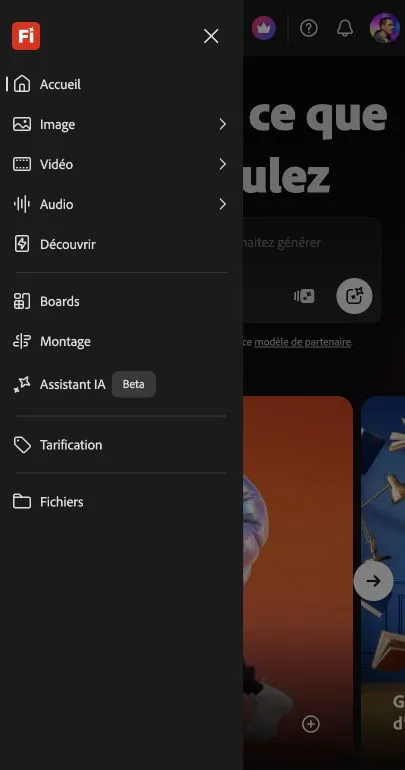
For filmmakers, the limitation is also clear: Firefly is still asset-first. It is excellent for creating and editing visual pieces, trying partner models, moodboarding, and generating short clips. It is not organized around a full narrative project with story, scenes, AI actors, storyboard continuity, voices, music, sound effects, posters, and production state in one workspace.
Adobe Firefly Image Generator: Fast, Clean, and Very Adobe
The image generator is the cleanest part of Firefly. The interface is focused around a prompt field, model choice, aspect ratio, resolution, and image input. It is easy to understand before you generate anything, and it feels designed for people who want to create usable visual assets rather than experiment inside a complicated node graph.
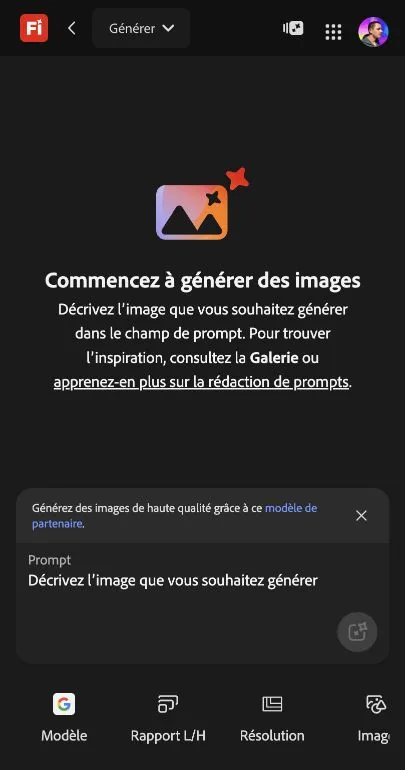
What works well here is the connection to Adobe's broader creative logic. Firefly is especially appealing if your next step is Photoshop, Express, Premiere, or a brand/design workflow where commercially safer outputs and Content Credentials matter.
Adobe Firefly Video Generator: Useful for Shots and Tests
Firefly video is useful when you need short clips, B-roll concepts, image-to-video tests, or a visual direction to bring into a larger editing workflow. The video surface keeps the prompt, preview, playback controls, model context, and advanced settings close together, which makes it approachable.
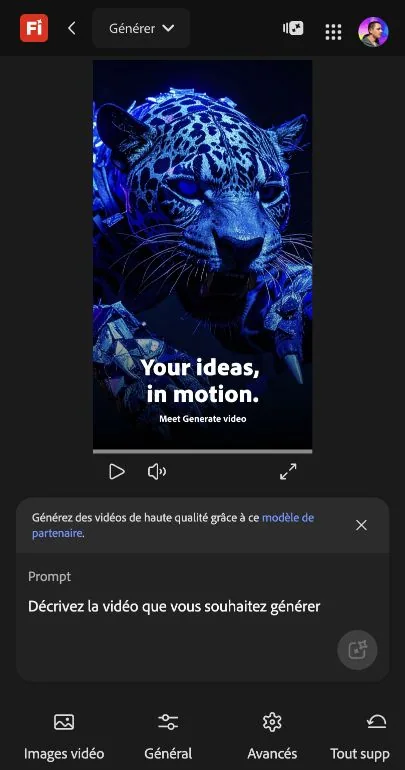
The limitation is the production workflow around the clip. Firefly can help create a shot, improve an asset, or explore a style. It does not feel like the place where I would manage an entire short film from idea to scenes to actors to storyboard to final production assets.
Adobe Firefly Pricing: Affordable Entry, Credit Limits for Video Work
Adobe Firefly pricing is easiest to understand as a credit-and-plan system. The free tier is useful for trying the app, while Standard starts at US$9.99/month with 2,000 generative credits and Pro starts at US$19.99/month with 4,000 credits. Higher tiers add more credits for heavier premium usage.
The important buyer point is that premium features such as video, audio, and partner-model generations consume credits. If you mostly make images, Firefly can feel affordable. If you plan to test lots of video, audio, or third-party models, the credit model is something to watch.
Adobe Firefly: What I Like and What Could Be Better
What I like most is the breadth. Firefly now covers images, video, audio, Boards, editing, partner models, and Creative Cloud-adjacent workflows without feeling too technical. It is especially strong for designers, marketers, editors, and creators who already use Adobe tools.
What could be better is the filmmaking structure. Firefly helps me create and edit assets, but it does not hold the full creative context of a film. There is no obvious project spine for screenplay, scene breakdown, recurring AI actors, shot planning, storyboard continuity, voices, music, sound effects, posters, and generated video in one filmmaker-first workspace.
Adobe Firefly Alternative: Why Melies Can Be a Better Fit
Adobe Firefly is a strong choice when the job is creating or editing assets inside the Adobe ecosystem: images, short videos, audio, boards, AI-assisted editing, brand-safe commercial assets, and Creative Cloud-adjacent workflows.
Melies is stronger when the job is an AI film workflow. It brings story, scenes, AI actors, prompts, storyboards, posters, voices, music, sound effects, and video generation into one production workspace.
For people searching for an Adobe Firefly alternative, the deciding question is whether they need an Adobe-native creative asset generator or a filmmaker-first production workspace. Firefly is the better fit for Adobe asset creation and editing. Melies is the better fit for creators developing an actual film project from idea to production assets.
Adobe Firefly FAQ
Is Adobe Firefly good for AI filmmaking?
Adobe Firefly is good for creating AI film assets: images, style frames, short clips, boards, sound assets, and edited creative material. I would not treat it as a complete AI filmmaking workspace because it is not centered around story, scenes, actors, shot continuity, and production planning.
Does Adobe Firefly have a free plan?
Yes. Adobe Firefly has a free tier with limited daily generations, which is enough to understand the interface and test basic workflows before choosing a paid plan.
What is Adobe Firefly best at?
Firefly is best at AI image generation, image editing, short video creation, moodboarding in Firefly Boards, partner-model experimentation, and Adobe ecosystem workflows.
What is the best Adobe Firefly alternative for filmmakers?
Melies is the better Adobe Firefly alternative when the goal is to build an AI film project rather than individual assets. Firefly is stronger for Adobe-native asset creation; Melies is stronger for story, scenes, AI actors, storyboards, voices, music, sound effects, posters, and video generation in one place.