Pika is an AI video generation app built around fast visual experimentation. The product combines Pika 2.5 generation, text-to-video, image-to-video, remixable inspiration examples, Pikaffects, Pikaformance, credit-based pricing, and experiments around agents, MCP, mobile effects, and API access.
Pika Review: Playful AI Video Effects, Limited Production Structure
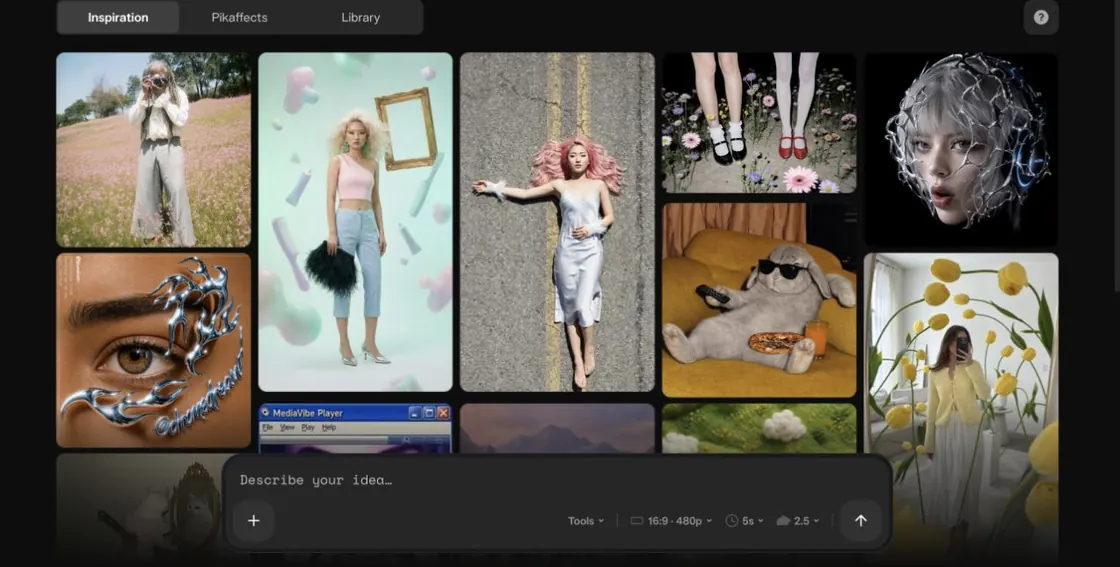
That is good for creators who want fast short clips, social visuals, image animation, surreal transformations, and trend-driven video assets. It is less complete for narrative workflows where you need script, scenes, characters, shot continuity, voice, music, sound design, and production organization.
Pika 2.5 and Core Video Generation
The pricing credit table also breaks out text-to-video and image-to-video costs for Pika 2.5:
- 480p, 5 seconds: 12 credits on Free.
- 480p, 10 seconds: 24 credits on Paid.
- 720p, 5 seconds: 20 credits on Paid.
- 720p, 10 seconds: 40 credits on Paid.
- 1080p, 5 seconds: 40 credits on Paid.
- 1080p, 10 seconds: 80 credits on Paid.
That credit transparency is useful. It also means serious iteration can get expensive quickly if users move from 480p tests into 1080p or longer clips.
Pikaffects
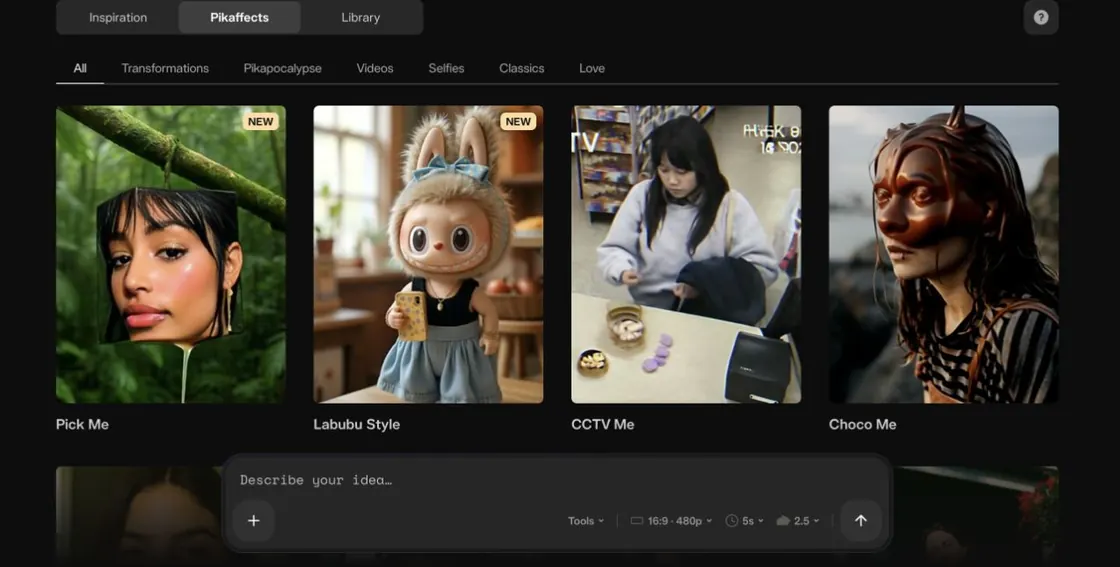
Pikaffects are easy to understand and easy to share. For filmmaking, they are better thought of as visual effects and social video hooks than as full production tools.
Experiments, Agents, and API
Pika is also broader than the core web app. Its experiments include:
- Pika Agent: a creative partner users can talk to.
- Pika MCP: a way to give agents creative model access and Pika-made skills.
- Pika Video App / Pikaffects: mobile-first unreal effects.
- AI Trendmaker: selfie and sound-based trend videos.
- Director's Suite: an agent-run timeline interface for building end-to-end video projects.
- Pikastream 1.0: real-time video chat with agents.
Pika's video models are also available through Fal AI.
That makes Pika feel less like a single generator and more like a fast creative video ecosystem. The trade-off is that some of the most exciting ideas are still experiment-led rather than part of a structured filmmaking workflow.
Pika Pricing: Easy to Try, Credits Matter for Serious Iteration
Annual billing prices are:
- Free / Basic: $0, current plan, 80 monthly video credits, Pika 2.5 at 480p only, Pikascenes, Pikadditions, Pikaswaps, Pikatwists, Pikaffects image-to-video only, no-watermark downloads, rollover credit purchases, and commercial use.
- Standard: $8/month billed yearly, 700 monthly video credits, Pika 2.5 at all resolutions, Pikaframes, Pikascenes, Pikadditions, Pikaswaps, Pikatwists, all Pikaffects, fast generations, watermark-free downloads, rollover credit purchases, and commercial use.
- Pro: $28/month billed yearly, 2,300 monthly credits, faster generations, and the same core feature access.
- Fancy: $76/month billed yearly, 6,000 monthly credits and fastest generations.
The same plan details include per-feature credit costs for Pikaffects, Pikascenes, Pikatwists, Pikadditions, Pikaswaps, text-to-video, image-to-video, Pikaframes, and Pikaformance. Pikaformance is listed at 3 credits per second for 720p, with up to 10 seconds on Free and up to 30 seconds on Paid.
What I Like About Pika
I like how quickly Pika gets you into a visual idea. The Inspiration tab, prompt composer, remixable examples, and 5-second default format make the app feel built for trying things rather than over-planning them.
Pikaffects are also a good fit for creators who need shareable visual hooks. They are not a full VFX pipeline, but they are easy to understand, easy to remix, and useful for social video concepts, music visuals, surreal transitions, and quick image animation tests.
What Could Be Better
Pika is less convincing as a complete filmmaking workspace. It does not manage script structure, scene planning, recurring AI actors, shot lists, storyboards, voices, music, sound effects, posters, and project continuity in one place.
Credits also matter quickly. Pika is easy to try, but serious iteration at higher resolutions or longer durations can use credits fast, especially if you are testing multiple versions of a shot.
Pika Alternative: Why Melies Can Be a Better Fit
Pika is a strong choice when the task is short AI video generation, surreal effects, image animation, prompt remixing, and visually playful social clips. It is especially good when the creator wants to start from an example and make a quick variation.
Melies is stronger when the task is a film workflow.
is built around story, scenes, actors, prompts, storyboards, posters, voices, music, sound effects, and video generation in one workspace.For people searching for a Pika alternative, the deciding question is whether they need fast video effects or an actual filmmaking pipeline. Pika is the faster visual toybox. Melies is the more complete story-to-production workspace.