Leonardo AI is a creator-first generative AI platform for making visual assets across image, video, 3D, upscaling, templates, and production-style presets. It is not just a landing page or a one-shot prompt box: the real experience is a web app with Image, Video, 3D, Blueprints, Flow State, Upscaler, Draw, Library, Plans, and API sections.
Leonardo AI Review: Strong Image System, Lighter Film Workflow
The first useful signal is that Leonardo exposes much of the app shape before payment. The app home shows a prompt field, Image and Video tabs, settings, Generate, quick routes for Image, Video, 3D, Blueprints, Flow State, Upscaler, Draw, and a Featured Blueprints row.
The home kept the same creator-first layout and showed a 150-token balance. The visible modules were practical rather than purely marketing-oriented: Image, Video, 3D, Blueprints, and Flow State were one tap away from the home screen.
For filmmakers, the limitation is structure. Leonardo has strong asset and template tools, but it does not feel organized around a full film project with story, scenes, AI actors, storyboard continuity, voice, music, sound effects, posters, and production memory in one workflow.
Leonardo AI Image Generation: Strengths and Limits
The Image generator opened with the Auto model selected, a prompt field, image add control, a model/settings button, a sparkle assistant control, token balance, and a disabled Generate button until the prompt has enough input.
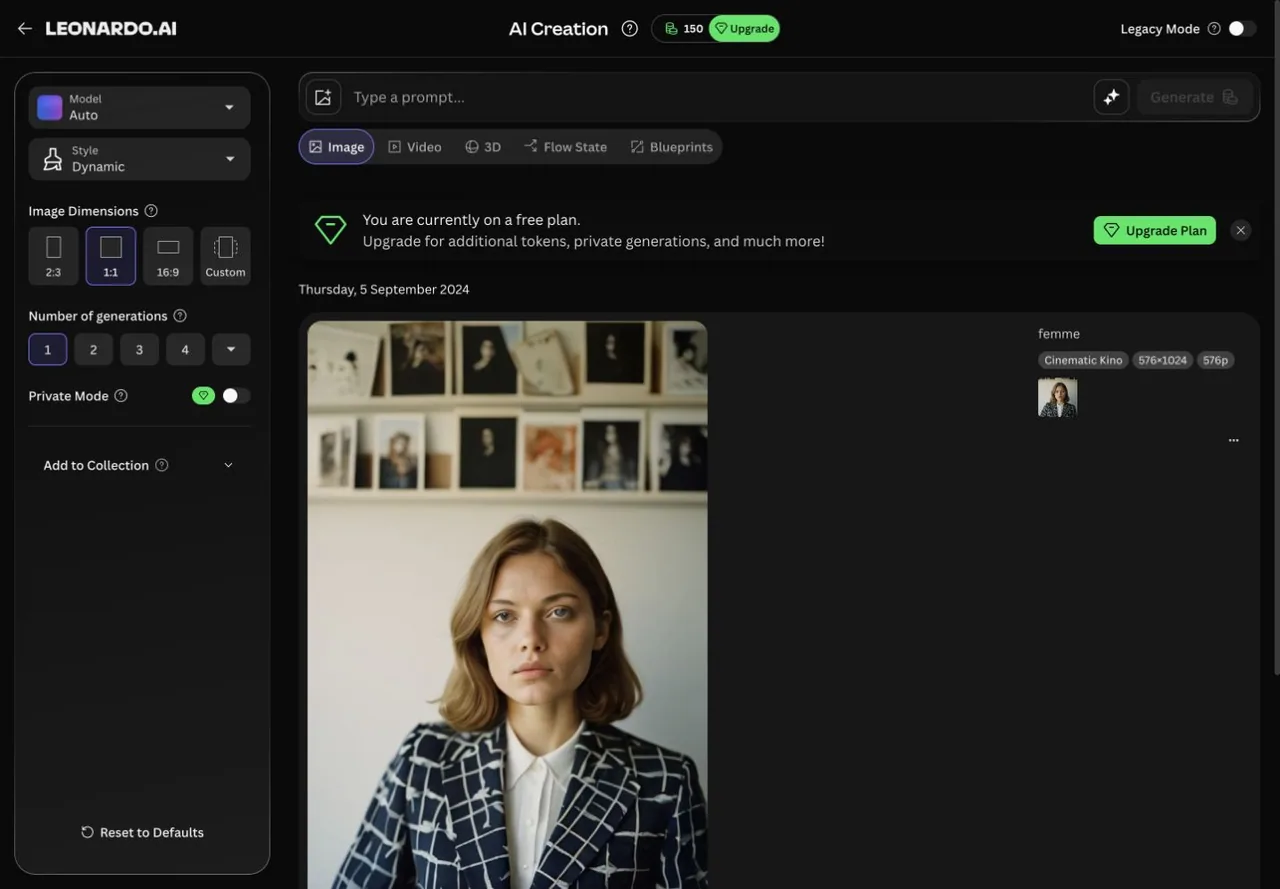
Leonardo also showed the current account plan state inside the generation surface. The visible free-plan state includes an upgrade card explaining that paid plans add tokens, private generations, and more.
This is useful UX: creators can see the generation cost and plan friction before clicking Generate. It is also a reminder that Leonardo is token-centered; anyone producing many concepts, variants, or storyboards needs to watch plan limits.
Leonardo AI Video Generation: Strengths and Limits
The Video generator opened as a dedicated mode with Hailuo 2.3 selected. The interface showed a prompt field, add media control, assistant control, token balance, disabled Generate button, and a visible token cost of 98 before generation.
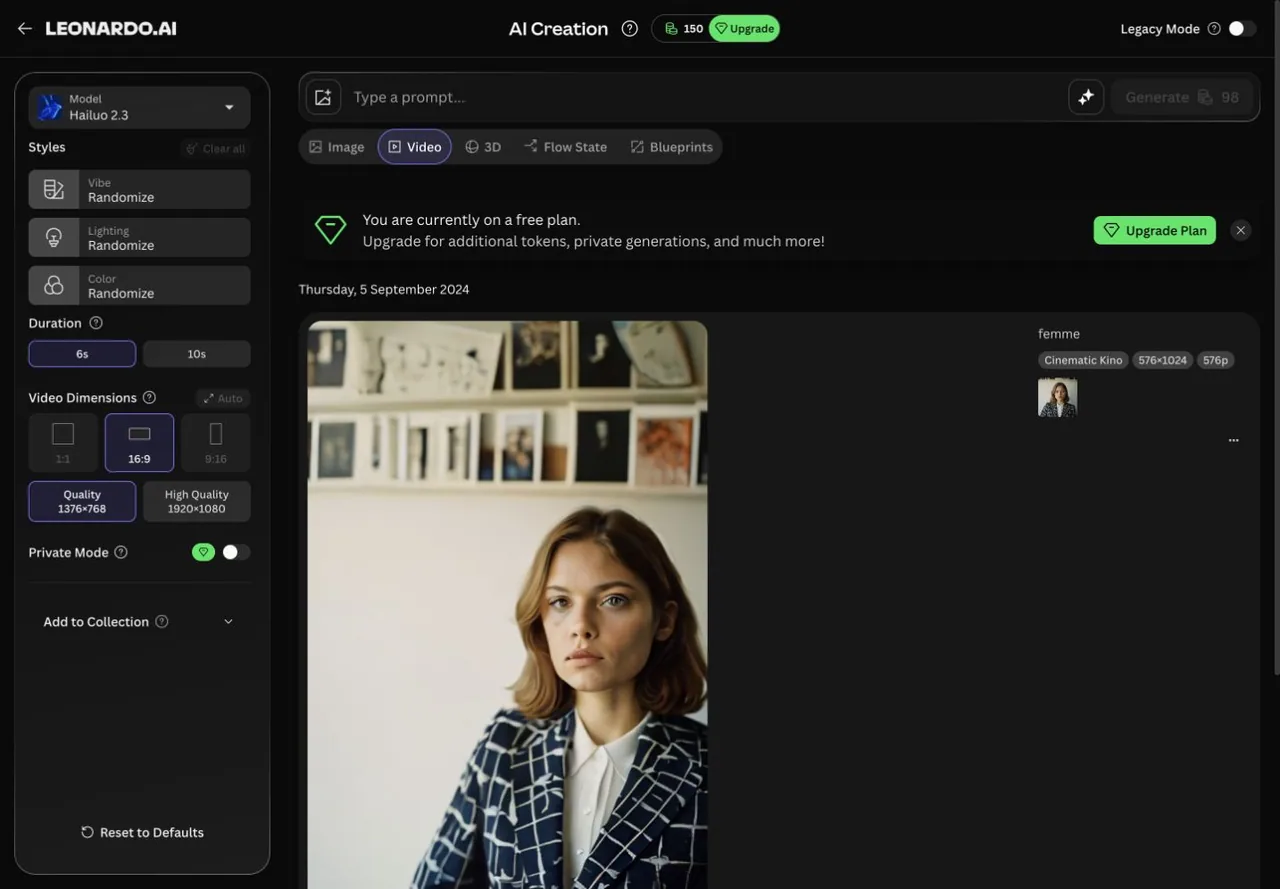
For filmmakers, Leonardo's video surface is good for assets, shots, product videos, concept motion, and social content. It is less complete for developing a coherent film from logline to scene plan to actors to audio and final production assets.
3D Generation
Leonardo's 3D mode opened with Rodin V2 selected. The interface warned that images should show the same character or object from different angles and suggested using a Blueprint to create reference views. The visible token cost was 400.
This is a meaningful differentiator against pure image/video tools. 3D generation is not always central to AI filmmaking, but it can help with props, characters, concept objects, and asset pipelines. The practical challenge is that 3D is even more input-sensitive and token-sensitive than image generation.
Blueprints
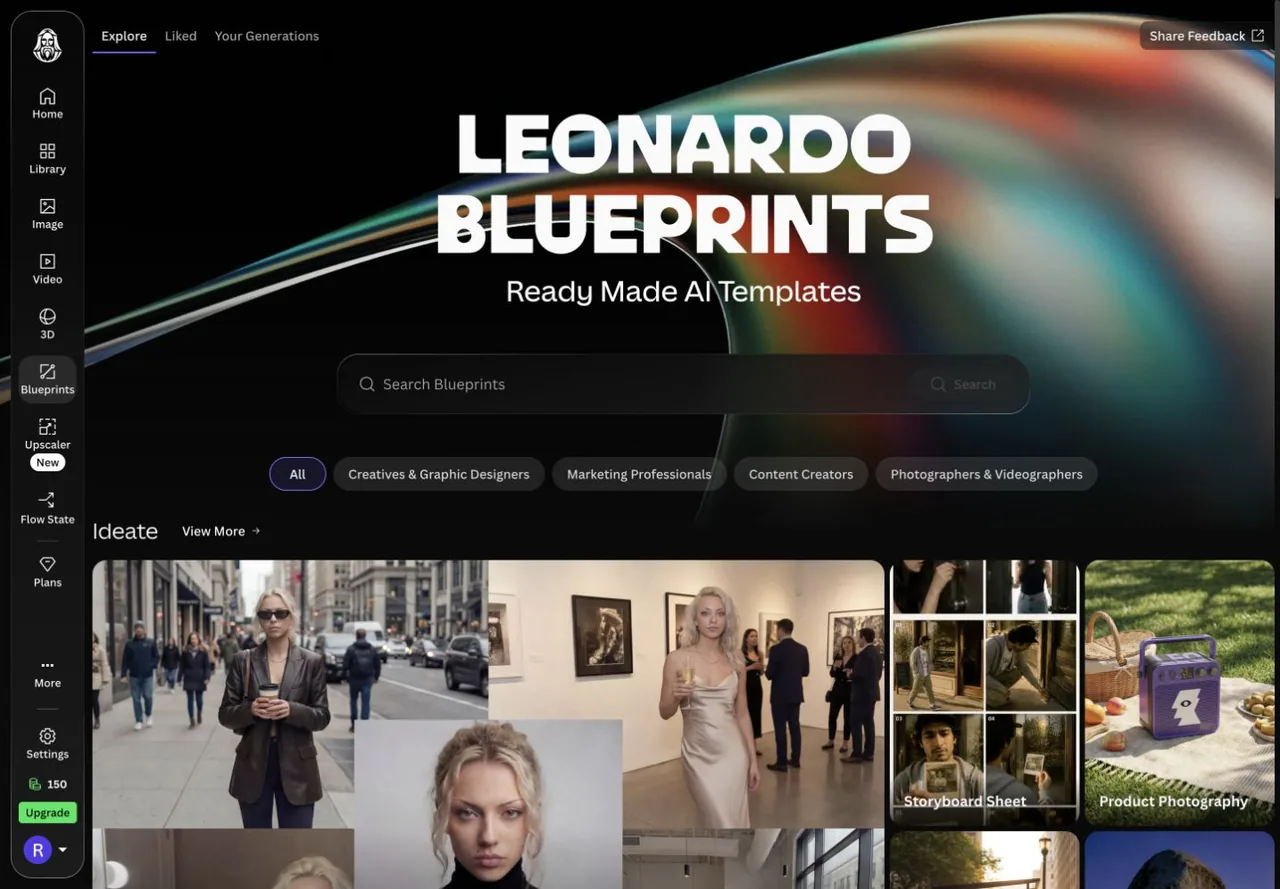
Blueprints make Leonardo feel less like a blank prompt field and more like a creator tool. For film-adjacent use cases, Storyboard Sheet and Cinematic Scenario Product Film are especially relevant. They give users a path from intent to structured output without needing to invent the full prompt format.
Flow State and Upscaler
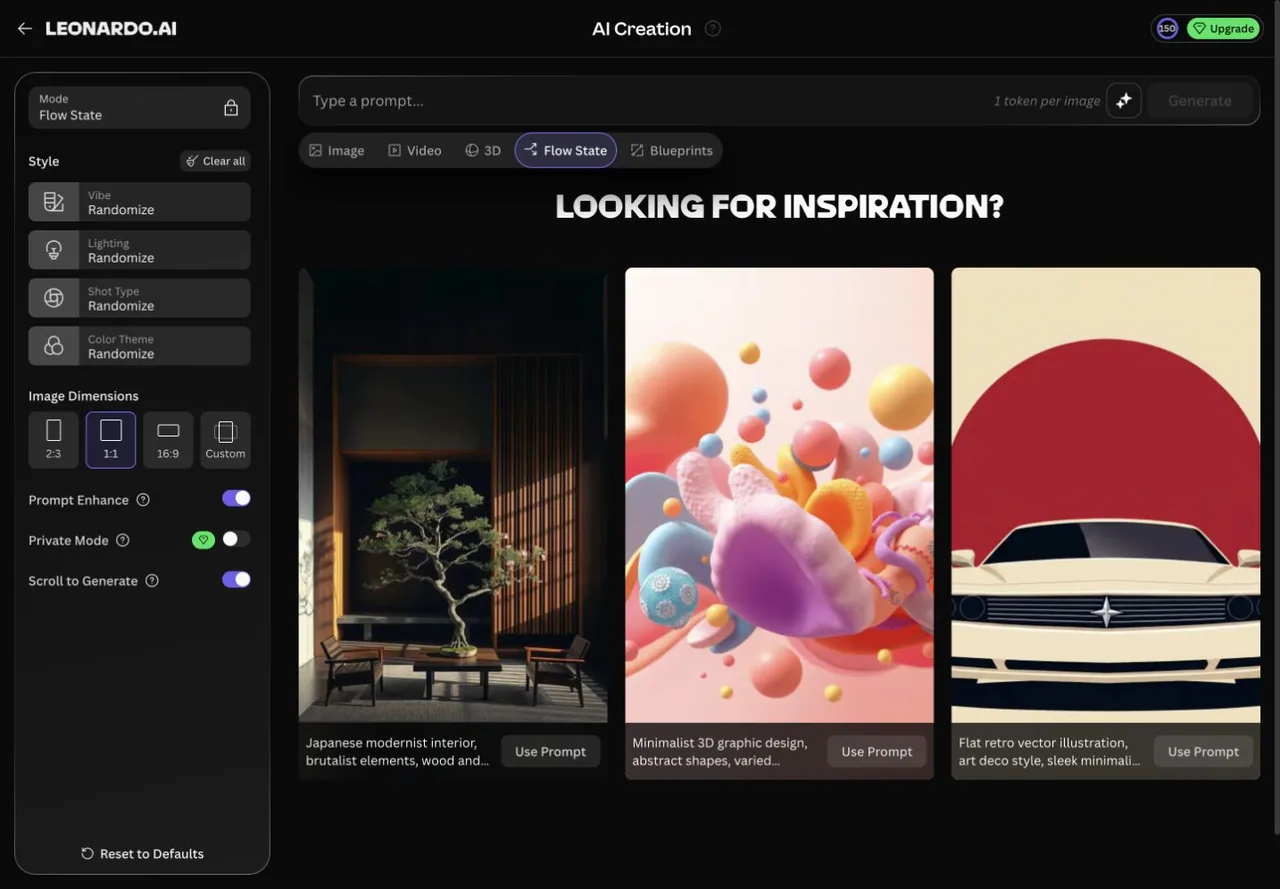
Flow State is Leonardo's inspiration and rapid-iteration surface. It showed Vibe, Light, Shot, and color controls, a prompt field, Generate, and example prompts with a Use Prompt button.
The Upscaler is simpler and cleaner: upload or drop an image, then upscale PNG, JPG, or WebP files up to 5 MB.
Together, these surfaces show Leonardo's product direction: generation, reference, iteration, templates, and finishing utilities in one app. It is broad and creator-friendly, but still asset-first rather than project-first.
Leonardo AI Pricing: Good Creative Value if Tokens Fit Your Pace
Leonardo AI's pricing is worth understanding, but I would not judge the product from the plans alone. The app itself is where the value is clearer: tokens, model choice, generation mode, and upgrade prompts are visible directly inside the creative workflow.
The Solo plans are:
- Free: $0/month, 150 fast tokens per day, 150 token bank, public creations, presets, basic quality settings, and 1 personal collection.
- Essential: $12/month before tax, 8,500 fast tokens/month, 25,500 token bank, private creations, enhanced quality, unlimited personal collections, 10 personal AI models, 2 simultaneous generations, and top-up tokens.
- Premium: $30/month before tax, 25,000 fast tokens/month, 75,000 token bank, private creations, 20 personal AI models, 3 simultaneous generations, queue up to 10 generations, top-up tokens, and unlimited relaxed image generation for selected models.
- Ultimate: $60/month before tax, 60,000 fast tokens/month, 180,000 token bank, 50 personal AI models, 6 simultaneous generations, queue up to 20 generations, unlimited Ultra generations, unlimited relaxed image generation for selected models, and unlimited relaxed video generation for selected models.
Team pricing starts with Starter at $24/seat with a $72/month minimum and Growth at $48/seat with a $144/month minimum, plus a custom plan option. There is also API pay-as-you-go positioning for teams building around Leonardo programmatically.
The useful detail is that Leonardo's token system is not just a hard monthly cap. Paid plans support rollover banks and top-up tokens, while Premium and Ultimate add relaxed generation on selected first-party models after the main token pool runs out. Third-party models and Flow State still require tokens, so frequent video generation can burn through a plan faster than casual image exploration.
Pricing can vary by region, tax, billing period, account state, and promotions, so check Leonardo before buying.
Leonardo AI Alternative: Why Melies Can Be a Better Fit
Leonardo AI is a strong choice when you want fast visual asset generation: images, video shots, 3D references, upscaling, Flow State exploration, and template-led Blueprints for creator and marketing workflows. It is especially compelling for creators who want a broad visual playground and teams already using Canva.
Melies is a better fit when the job is an AI film project, not just a set of assets. Melies is built around story, scenes, AI actors, storyboards, prompts, voices, music, sound effects, posters, and video generation in one filmmaker-first workspace.
For people searching for a Leonardo AI alternative, the difference is workflow depth. Leonardo is excellent for generating and iterating visual assets. Melies is built to turn a story idea into an organized AI film production package.
Leonardo AI FAQ: Pricing, Features, and Alternatives
What is Leonardo AI?
Leonardo AI is a browser-based generative AI platform for image generation, video generation, 3D generation, Blueprints, Flow State exploration, upscaling, presets, and API access.
Is Leonardo AI free?
Yes. The pricing information shows a Free plan with 150 fast tokens per day, public creations, presets, basic quality settings, and one personal collection.
How much does Leonardo AI cost?
Leonardo AI paid Solo plans start with Essential at $12/month, followed by Premium and Ultimate. Team plans start per seat with minimum monthly spend, and API access is pay-as-you-go.
Does Leonardo AI support storyboards?
Leonardo AI has a Storyboard Sheet Blueprint, which can generate a 6-panel storyboard from a story brief. It is useful for visual planning, although Leonardo is still less film-project-first than Melies.
What is the best Leonardo AI alternative?
Melies is a strong Leonardo AI alternative if you want a story-first AI filmmaking workspace with scenes, AI actors, storyboards, prompts, voices, music, sound effects, posters, and video generation in one organized project.