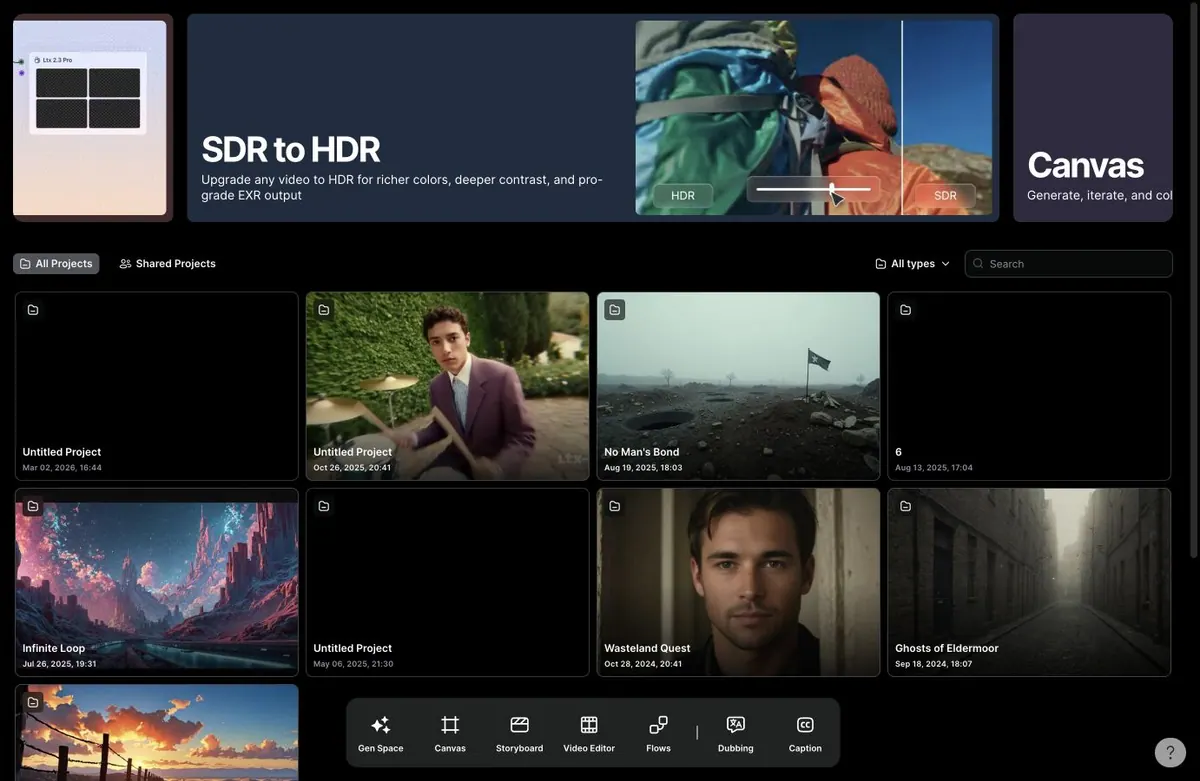
LTX Studio is one of the more serious AI filmmaking workspaces because it tries to connect generation, storyboards, canvas work, video editing, reusable elements, dubbing, captions, and model access in one place.
My impression is that LTX Studio is stronger than a simple prompt-to-video tool. It feels built for creators who want to move between ideation, boards, clips, and edits. The tradeoff is that the workflow becomes plan- and credit-sensitive quickly, especially if you want storyboards, partner models, or heavier video work.
Where LTX Studio Feels Strongest
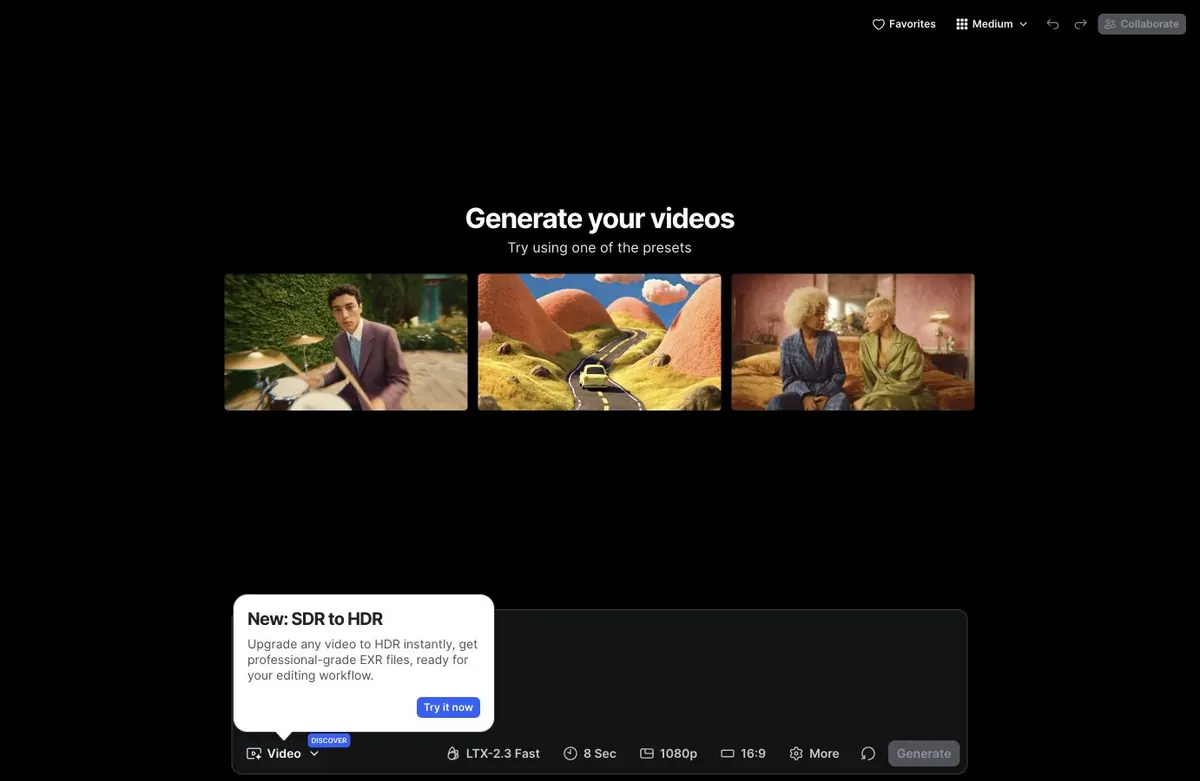
The Gen Space screen is a good example of why LTX Studio feels more production-minded than a basic AI video generator. Presets, model choice, duration, resolution, aspect ratio, and finishing tools are close to the prompt box, so the user is not just typing an idea and hoping for the best.
Storyboard Builder Is the Filmmaker Hook
LTX Studio also includes a Storyboard Builder. The interface lets users start with a story idea, scene, or full script, choose aspect ratio, select a model, add style, drag in a script file, upload a file, or create a blank storyboard.
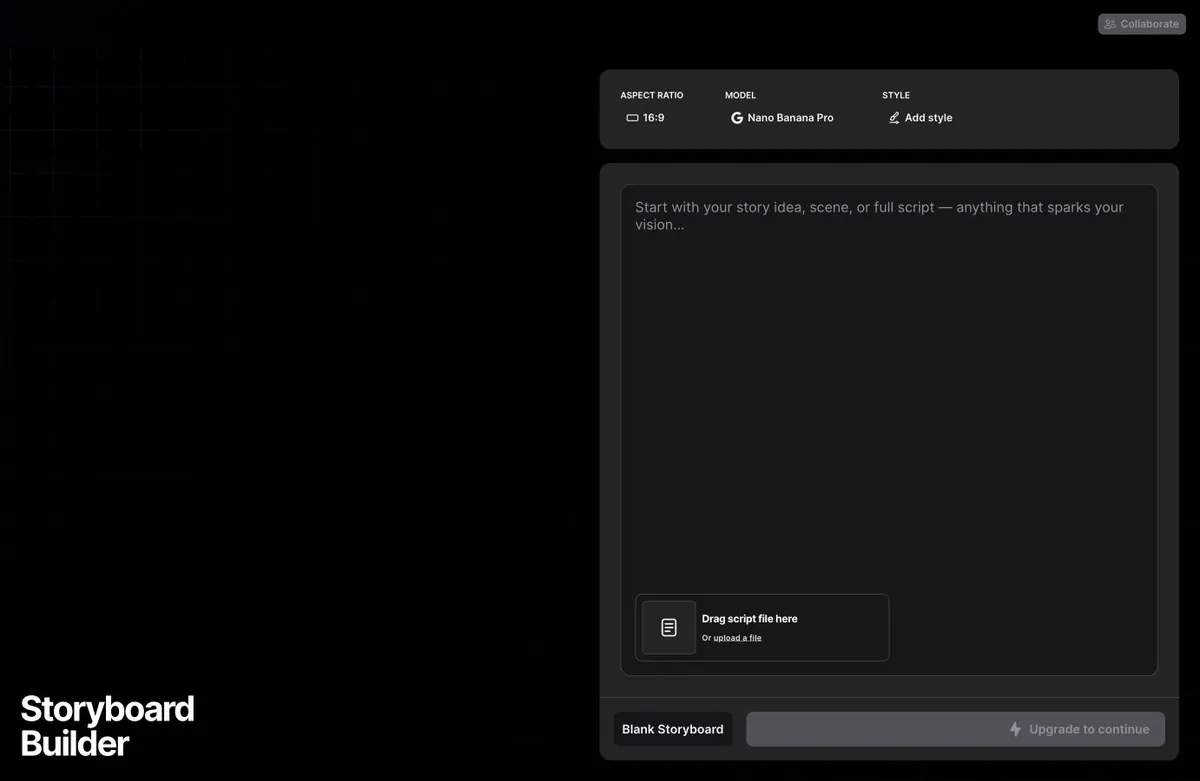
This is one of LTX Studio's strongest filmmaker surfaces. It makes the product feel closer to a pre-production and production suite than a pure generation playground. The downside is that serious storyboard use quickly points toward a paid plan, especially if you want AI-generated boards rather than only a manual structure.
LTX Studio Features: Gen Space, Storyboards, Canvas, and Editor
Gen Space
Gen Space supports video generation workflows with presets, input slots, model selection, duration, resolution, aspect ratio, and prompt controls. In practice, it feels like a strong place to test shots, looks, and motion ideas before moving into a more structured edit.
Canvas
Canvas is the more open-ended workspace for generating, iterating, and arranging visual ideas. This is useful when you want to explore looks and shot material before committing to a tighter edit or storyboard.
Storyboard Builder
The Storyboard Builder is built around scripts, scene ideas, aspect ratio, models, style, upload, and blank storyboard creation. It is a strong fit for pre-production, pitch boards, commercials, and narrative planning.
Elements
Elements are reusable characters, props, products, or locations. The Elements page frames this as a way to save assets and improve consistency throughout a project.
LTX-2.3 and Partner Models
LTX Studio is not limited to one model family. Its plans list LTX-2.3 across tiers, with partner models opening up on higher plans. That makes it more flexible than a single-model generator, but also means the useful plan depends on which models you actually need.
SDR to HDR
SDR to HDR is a useful finishing workflow for teams that care about richer color, contrast, and delivery quality. It is not the core reason to use LTX Studio, but it reinforces the product's production-oriented positioning.
LTX Studio Pricing: Serious Production Tools With Model Credit Costs
LTX Studio pricing shows annual billing selected by default with 20% off:
- Free: €0 forever, no billing, 800 credits one time, personal use license.
- Lite: €12/month billed yearly at €144, 8,000 credits/month.
- Standard: €28/month billed yearly at €336, 28,000 credits/month, commercial use license, additional models, Elements, Storyboards, Pitch Decks, advanced Flows, and credit top-ups.
- Pro: €100/month billed yearly at €1,200, 110,000 credits/month, Veo 3.1 variants, maximum quality and control, 3 collaborators per project, and on-demand credit top-ups.
- Enterprise: custom credit volume, SSO, centralized brand management, custom training, unlimited collaborators, onboarding, compliance, enhanced data privacy, and sales contact.
Monthly billing is higher: Lite €15/month, Standard €35/month, and Pro €125/month. Pricing may vary by region and promotion, so check the live page before buying.
What I Like About LTX Studio
I like that LTX Studio takes filmmaking structure seriously. Gen Space, Canvas, Storyboard Builder, Elements, Video Editor, dubbing, captions, and pitch decks all point toward a product that understands the steps between idea and finished video.
The Storyboard Builder is the standout for me. It makes LTX feel like a place where a filmmaker can start with a story or script rather than only a visual prompt. The reusable Elements concept is also important because character, prop, product, and location consistency are still major pain points in AI video.
What Could Be Better
The main limitation is that LTX Studio can become plan-sensitive quickly. The Free plan is useful for exploration, but credits do not renew, and several of the more interesting production features sit on paid tiers. For serious AI film work, I would expect most users to end up comparing Standard or Pro rather than relying on Free.
The workflow is also powerful enough to feel dense. That is not necessarily bad, but creators who want a story-first guided flow may prefer a workspace that keeps scripts, scenes, actors, prompts, sound, and video generation more tightly organized from the start.
LTX Studio Alternative: Why Melies Can Be a Better Fit
LTX Studio is a strong choice if you want a high-control AI video production workspace with LTX-2.3, model selection, Canvas, Storyboard Builder, reusable Elements, HDR workflows, and a timeline-like editor. It is especially interesting for agencies, visual teams, and creators who want to iterate on AI video assets with many model options.
Melies is a better fit if you want the project to start from story rather than from generation modules. Melies is built around films: story, scenes, AI actors, storyboards, posters, prompts, voices, music, sound effects, and production assets in one workflow.
For people searching for an LTX Studio alternative, the difference is workflow focus. LTX is a powerful AI video production environment. Melies is a filmmaker-first workspace for turning a story into a complete AI film package.
LTX Studio FAQ: Pricing, Features, and Alternatives
What is LTX Studio?
LTX Studio is a browser-based AI video production workspace from Lightricks. It combines video generation, Canvas, Storyboard Builder, Video Editor, reusable Elements, dubbing, captions, collaboration, and credit-based model access.
Is LTX Studio free?
Yes. The France/EU plans show a Free plan with 800 one-time credits and no billing. Paid plans start at €12/month billed annually.
How much does LTX Studio cost?
Annual pricing lists Lite at €12/month, Standard at €28/month, Pro at €100/month, and Enterprise by sales contact. Monthly billing is higher.
What is the best LTX Studio alternative?
Melies is a strong LTX Studio alternative if you want a story-first AI filmmaking workspace with scenes, AI actors, storyboards, prompts, voices, music, sound effects, posters, and production assets.