OpenArt is a serious option for people comparing AI filmmaking tools. It is strong when you want many models and quick generation utilities in one place. Melies is still a better fit when the workflow starts from a film idea, script, scenes, characters, storyboards, posters, voice, music, and production assets that need to stay across the project.
OpenArt Review: Broad Visual Creation, Less Film-Structured Than Melies
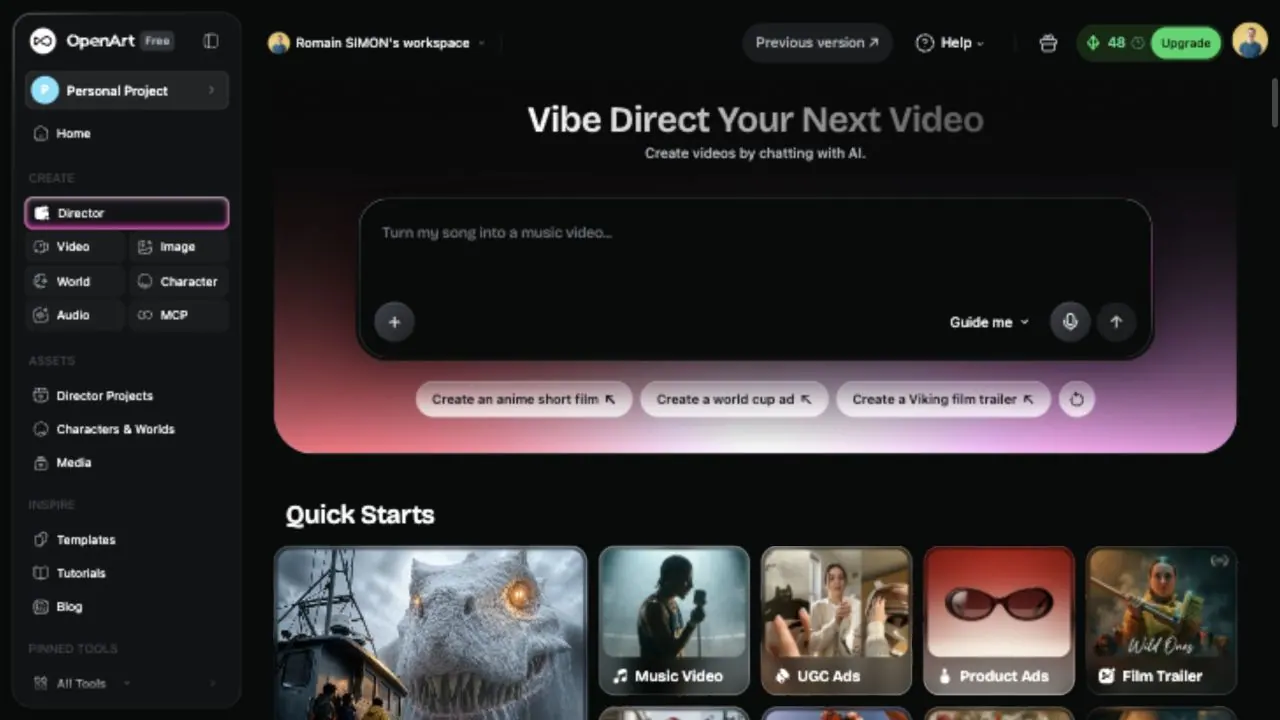
The OpenArt product overview positions the product as an all-in-one AI creation platform for visual stories. The hero message says "WHERE IDEAS BECOME VISUAL STORIES" and the page promotes quick starts for Short Film, Music Video, UGC Ads, Product Ads, Film Trailer, Social Content, Branding Ads, Explainer, and Micro Drama.
The tool directory is broad. In the public marketing and app surfaces, OpenArt showed Video Generator, Music Video, Motion Control, Image Generator, Camera Angle Control, Image Upscale, Character Builder, 3D World, OpenArt MCP, VFX, Video Relight, Video Background Changer, OpenArt Worlds, AI Character, AI Influencer, AI Headshot, AI Face Smooth, Smart Shot, and AI Character Swap.
Inside the workspace, OpenArt makes the free project, remaining credits, main creation areas, and upgrade path easy to understand. That helps because you can see the app structure before committing to a paid plan.
Director App
OpenArt Director is the most film-relevant surface. The Director screen says "Vibe Direct Your Next Video" and "Create videos by chatting with AI." It offers quick starts for Short Film, Music Video, UGC Ads, Product Ads, Film Trailer, Social Content, Brand Film, Explainer, and Micro Drama, plus example projects such as Shore Thing, The Auteur, and Max's Journey.
This is strategically interesting because OpenArt is trying to move from single-prompt generation toward directed video workflows. The product still feels prompt-and-template-led rather than screenplay-led, but Director is the clearest sign that OpenArt wants to own more of the AI filmmaking journey.
OpenArt Image Generator: What Works Best
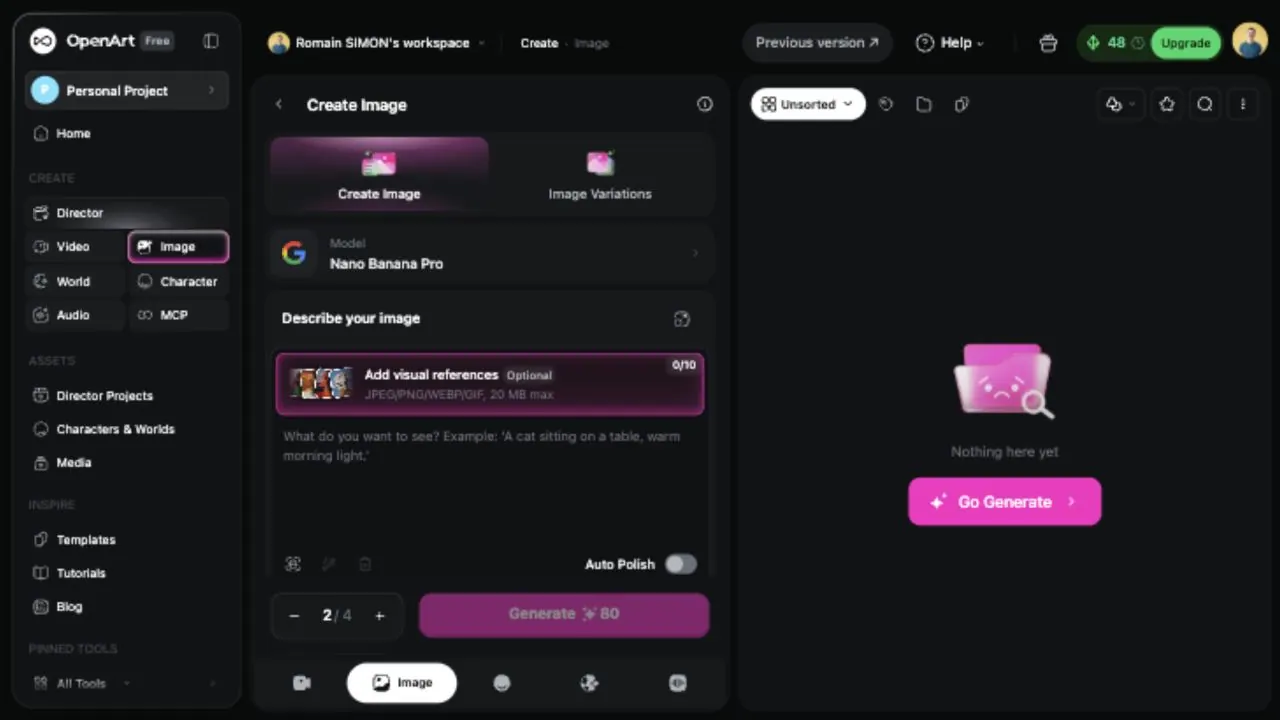
For production teams, the most useful parts are visual references, model choice, batch count, and clear credit cost before generation. The tradeoff is that the app still looks like a general creative generator. It does not naturally organize work by scenes, shots, continuity, cast, or story assets the way a filmmaker-first tool should.
Video Generator and VFX
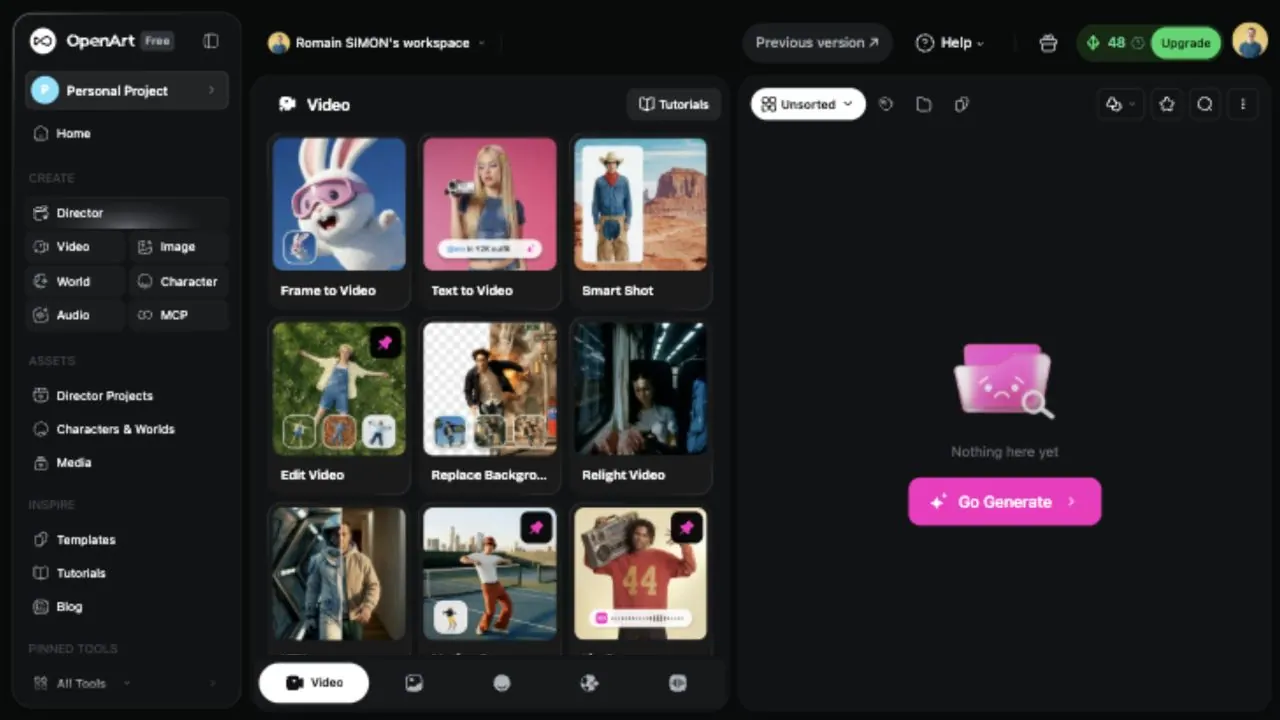
OpenArt's Video section is deep. In the app, the video workspace exposed Frame to Video, Text to Video, Smart Shot, Edit Video, Replace Background, Relight Video, VFX, Motion Sync, Lip-Sync, Upscale Video, Replace Character, Extend Video, Add Sound Effect, and Restyle Video.
It also surfaced multiple current model names, including Kling 3.0, Seedance 1.5 Pro, Veo 3.1, Sora 2, Grok Imagine, Wan 2.6, Hailuo 2.3, and LTX 2. This model-buffet positioning is a real OpenArt strength: it is helpful when the user wants to compare output styles quickly without managing separate accounts for every model provider.
OpenArt Pricing: Credits, Seats, and Commercial Workflow Limits
OpenArt pricing is credit-based and seat-based. The pricing screen currently showed Monthly and Annually tabs with annual discounts up to 27% off.
Annual plans were:
- Essential: $12.60/seat/month, shown with 4,000 credits/month, up to about 4,000 images, about 50 videos, Director up to about 2 minutes ready-to-post, up to about 13 consistent characters, about 5 One-Click Stories, about 13 personalized models, 8 parallel generations, 100+ premium image/video/audio models, One-Click Story Creation, and Image Editing Suite.
- Advanced: $23.20/seat/month, shown with 12,000 credits/month, up to about 12,000 images, about 150 videos, Director up to about 6 minutes, up to about 40 consistent characters, about 17 One-Click Stories, about 40 personalized models, 16 parallel generations, and commercial use rights.
- Infinite: $43.70/seat/month, shown with 24,000 credits/month, up to about 24,000 images, about 300 videos, Director up to about 12 minutes, up to about 80 consistent characters, about 34 One-Click Stories, 32 parallel generations, and priority support.
- Wonder: $175.20/seat/month, shown with 106,000 credits/month, up to about 106,000 images, about 1,300 videos, Director up to about 50 minutes, about 353 consistent characters, about 150 One-Click Stories, unlimited creation, credit-pack discounts, and priority support.
OpenArt also showed an Extra Credit add-on at $15/month for 5,000 credits and separate team/enterprise options.
OpenArt Alternative: Why Melies Can Be a Better Fit
OpenArt is a strong choice if you want a single app for many generation and editing surfaces: image generation, video generation, VFX, motion sync, lip-sync, audio, character tools, worlds, and current model access. It is especially useful for creators who want to experiment quickly with many models and formats.
Melies is a better choice if your workflow starts from a film. Melies is built around story development, scenes, AI actors, storyboards, posters, image prompts, video prompts, voice, music, sound effects, and production assets that stay tied to the project.
For people searching for an OpenArt alternative, the difference is workflow focus. OpenArt is a broad AI creation suite. Melies is a filmmaker-first workspace for turning a story into a complete AI film package.
OpenArt FAQ: Pricing, Features, and Alternatives
Does OpenArt support AI video?
Yes. OpenArt's Video app includes Frame to Video, Text to Video, Smart Shot, Edit Video, Replace Background, Relight Video, VFX, Motion Sync, Lip-Sync, Upscale Video, Replace Character, Extend Video, Add Sound Effect, and Restyle Video.
What is the best OpenArt alternative?
Melies is a strong OpenArt alternative for AI filmmakers who want one workflow for story, scenes, AI actors, storyboards, posters, prompts, voices, music, sound effects, and production assets instead of a broad generation suite organized around many tools and models.