Pollo AI Review: Huge Model Hub, Less Focused Than a Film Workspace
Pollo AI feels less like one focused video generator and more like a huge creative toolbox. The product is clearly trying to serve creators, marketers, ecommerce teams, and developers from the same umbrella.
That breadth is the main reason I would use it. You can move between video, image, avatars, audio, ads, ecommerce visuals, model access, and API usage without constantly switching products. If your job is to make lots of short-form assets or test several generation models quickly, Pollo AI makes sense.
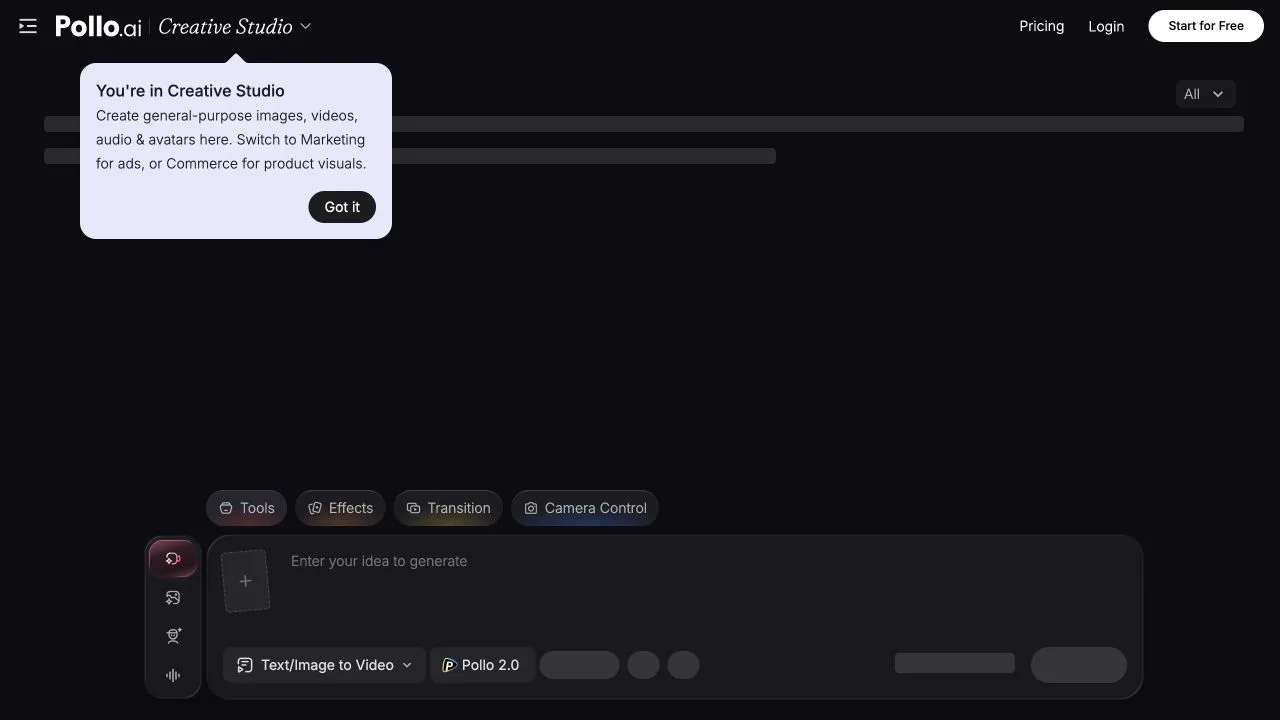
The create workspace is practical: you can start from text or an image, choose the type of generation, pick a model, and use effect or camera-control tools when you want a more directed result. It feels more like a model hub than a traditional editor, but the prompt composer is easy to understand.
Pollo AI Features for Video, Image, Avatar, Audio, and Ads
Pollo AI covers a lot of ground. The most useful buckets are:
- Creative Studio: video, image, avatar, audio, and art generation tools.
- Video AI: video generator, text-to-video, image-to-video, reference-to-video, mimic motion, video-to-video, AI video editor, and video upscaler.
- Image AI: image generator, image-to-image, photo editor, watermark remover, magic eraser, upscaler, background remover, and face swap photo.
- Avatar and audio: avatar generator, product avatar, talking avatar, AI voice generator, voice cloning, and text-to-speech.
- Marketing Studio: URL-to-video ads, photo-to-video ads, script-to-ad video, UGC video ads, clone video ads, and platform-specific ad videos.
- Commerce Studio: product showcase video, virtual try-on photo, product shot, listing image sets, and ecommerce ad tools.
- Agent: production-ready videos with SFX, consistent characters, polished scenes, viral remixing, clone video ads, anime video, story video, music video, news video, and explainer video.
- API: separate API pricing and top-up flow for model access.
Pollo also highlights access to popular video and image models such as Seedance, Veo, Sora, Kling, Hailuo, PixVerse, Runway, Vidu, Wan, GPT Image, Nano Banana, Seedream, and Flux Kontext. That makes it attractive if you mainly want one place to compare model behavior.
Pollo AI Pricing Needs a Little Planning
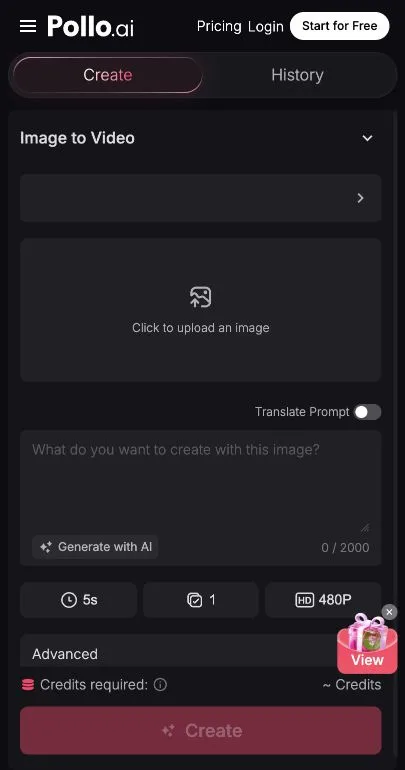
Pollo AI has free credits for trying the product, paid subscriptions for regular creators, add-on credits for heavier usage, and separate API top-ups for developers. That range is helpful, but it also means pricing is not something I would skim quickly.
The important thing to understand is that credits depend on the chosen model, output length, quantity, resolution, and tool type. That is normal for a multi-model product, but it makes Pollo harder to budget than a simple fixed-plan editor. I would test a few real generations before committing to a larger plan.
Pollo AI: What I Like and What Could Be Better
What I like most is that Pollo AI feels like a very broad AI creation hub. It covers video, image, avatars, audio, ads, ecommerce, agents, and API access, so it makes sense for users who want to try many popular models and formats from one account. Marketing Studio and Commerce Studio also make the product feel more commercially oriented than a generic video generator.
What could be better is focus. Pollo AI is useful for producing many asset types, but it does not feel designed around the structure of a film project. I would not expect it to manage a script, scenes, AI actors, storyboards, sound, visual continuity, and production assets as naturally as a dedicated filmmaking workspace.
Pollo AI Alternative: Why Melies Can Be a Better Fit
Pollo AI is best understood as a broad creative and marketing generation hub. It is useful when you want access to many models, effects, ad formats, ecommerce assets, avatars, audio tools, and API top-ups from one place.
is more focused on AI filmmaking. It organizes the work around story, script, scenes, characters, AI actors, prompts, storyboards, voices, music, sound effects, posters, and video generation.For people searching for a Pollo AI alternative, the difference is workflow. Pollo AI gives you many generation tools. Melies helps structure an AI film from idea to production assets.
Pollo AI FAQ: Pricing, Features, and Alternatives
What is Pollo AI?
Pollo AI is an AI creative suite with video, image, avatar, audio, marketing, commerce, agent, mobile, and API surfaces.
Is Pollo AI good for AI video generation?
Yes. Pollo AI is especially useful if you want to try several video models and formats from one account, including text-to-video, image-to-video, reference-to-video, video effects, and upscaling.
Is Pollo AI free?
Pollo AI offers free credits for testing the product, then paid plans and add-on credits for heavier use. The real cost depends on the model and settings you choose.
What is the best Pollo AI alternative?
Melies is a strong Pollo AI alternative for AI filmmakers who need a structured story-to-video workflow rather than a broad menu of generation tools.